Example dataset
The example dataset used throughout these docs contains movie data. Load it to try the queries and explore the graph.
Prerequisites
You have connected to a NebulaGraph Database Developer Edition service group with ngql, as described in the Connect and run your first query.
Dataset introduction
The example dataset is a knowledge graph dataset for movie recommendation. The following figure shows the entities and relationships in the knowledge graph:
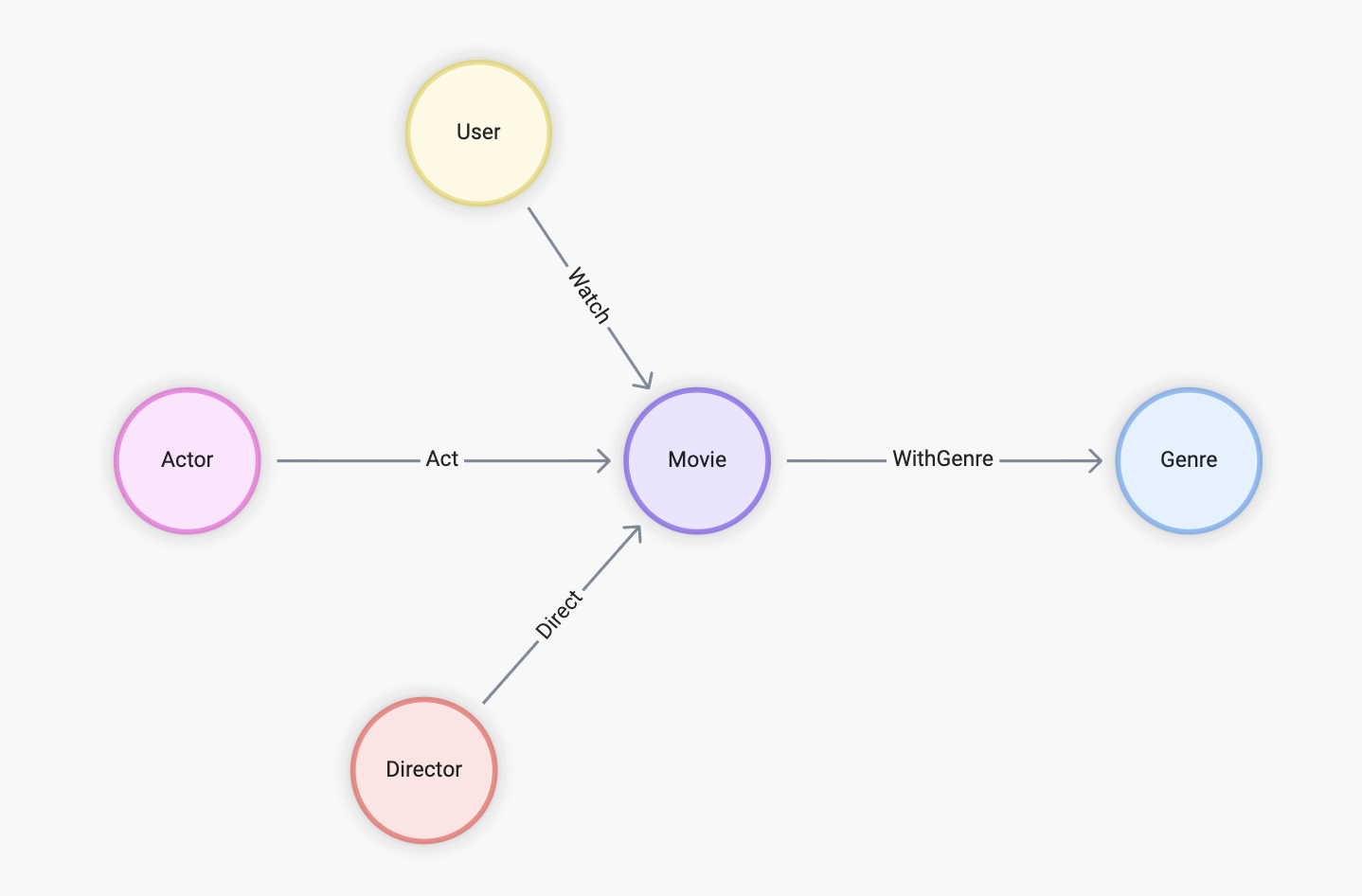
Figure 1: Entities and relationships in the knowledge graph
To implement the dataset in GQL, the following node types and edge types are introduced:
| Node type name | Label | Property | Primary key |
|---|---|---|---|
| User | Person |
id |
id |
| Actor | Person |
id, name, and birthDate |
id |
| Director | Person |
id, name, and birthDate |
id |
| Movie | Movie |
id and name |
id |
| Genre | Genre |
id and name |
id |
Table 1: Node types in the dataset
| Edge type name | Label | Property | Source node type name | Destination node type name |
|---|---|---|---|---|
| Watch | Watch |
rate |
User |
Movie |
| Act | Act |
None | Actor |
Movie |
| Direct | Direct |
None | Director |
Movie |
| WithGenre | WithGenre |
None | Movie |
Genre |
Table 2: Edge types in the dataset
The following figure shows the graph model of the dataset in a tabular format:
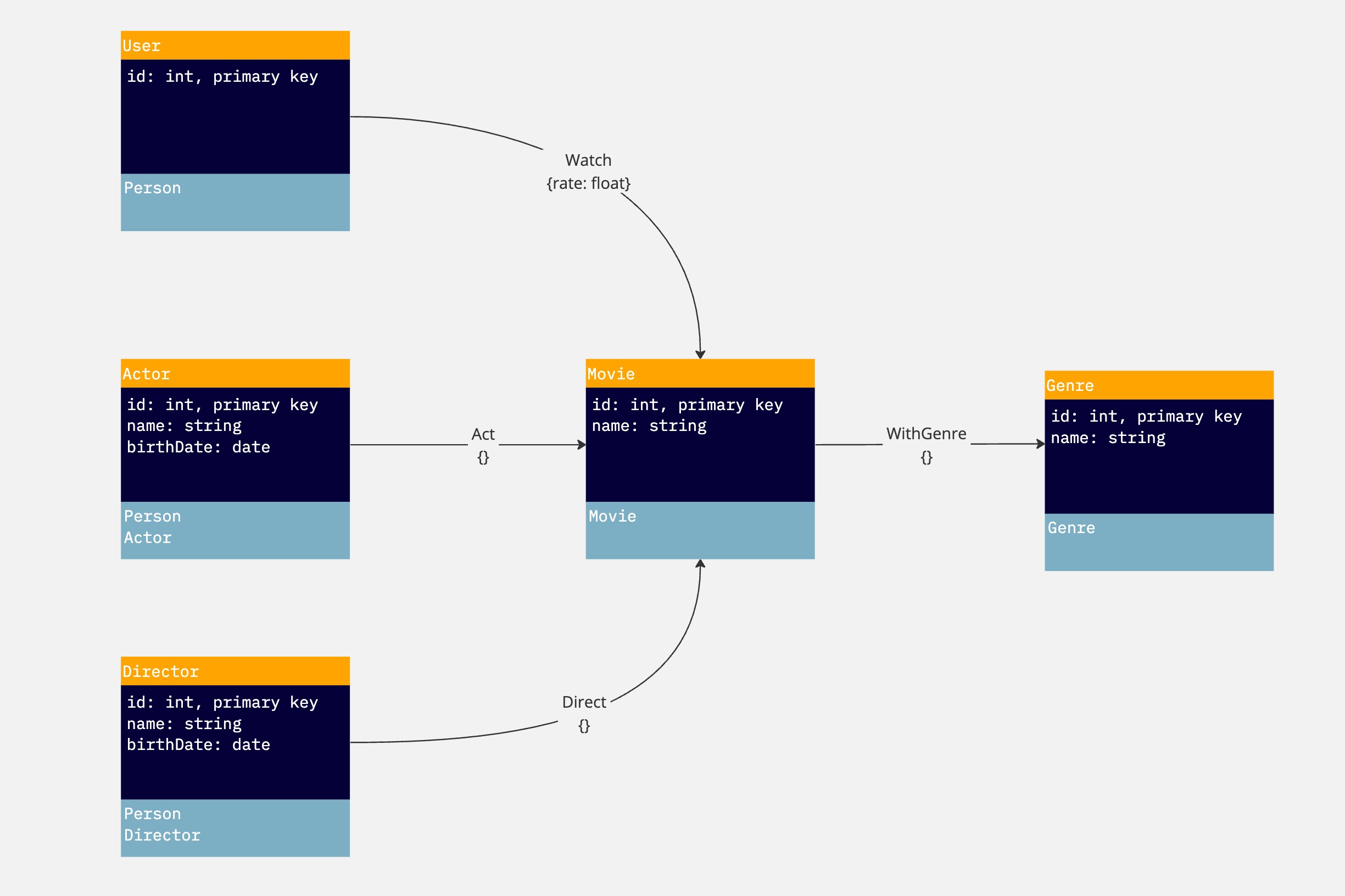
Figure 2: Graph model of dataset
Load the dataset in NebulaGraph Database Developer Edition
-
Run the following command in ngql to load the dataset:
:play movie -
To verify that the dataset is loaded successfully, run the following statement to show graphs:
SHOW GRAPHSReturn:
+----------+------------+-----------------+-------+
| name     | graph_type | schema          | owner |
+----------+------------+-----------------+-------+
| movie    | movie_type | /default_schema | root  |
+----------+------------+-----------------+-------+
Download the dataset files
To obtain the original dataset files, click here to download the complete dataset files in CSV format.